How To Setup Store Details
Go to:
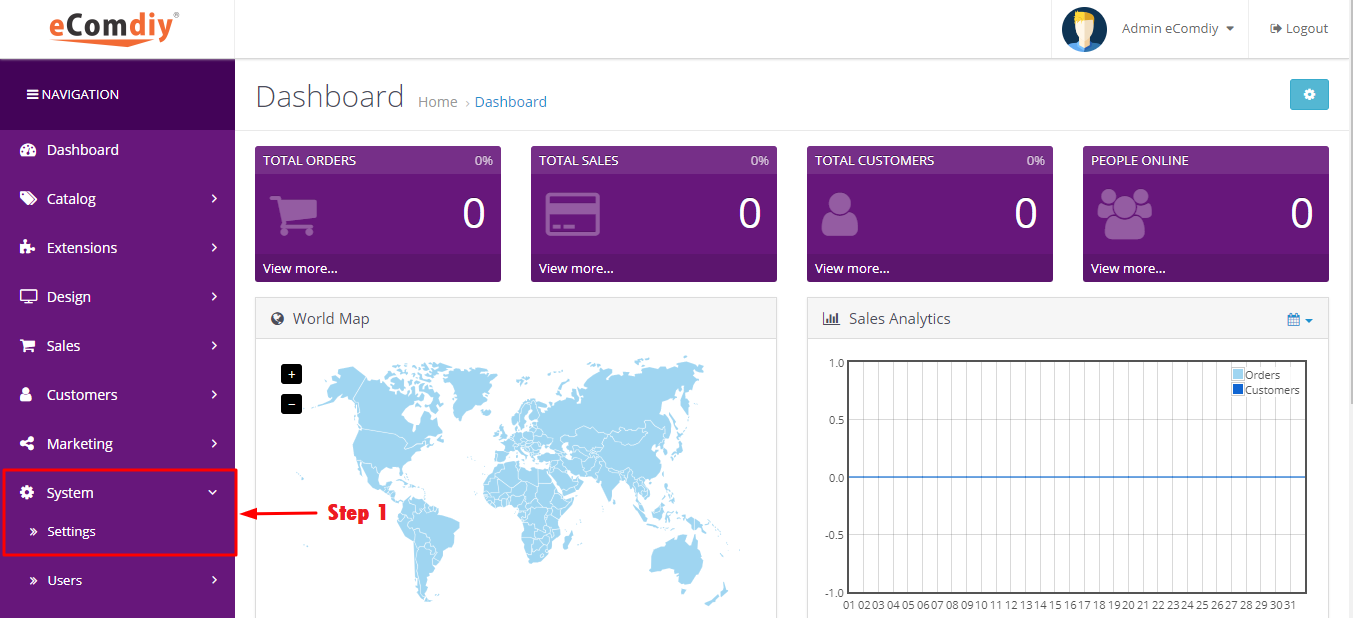
Admin → System → Settings
- Click the Edit button on your store.
- You'll see several tabs.
General Tab
Configure:
- Store Name
- Store Owner
- Store Address
- Telephone
- Fax (optional)
- Meta Title
- Meta Description
- Meta Keywords
- Theme
Store Tab
Configure:
- Store URL
- SSL URL
- Catalog Display Settings
- Country
- Region/State
- Language
- Currency
- Product Limits
Local Tab
Configure:
- Country
- Region
- Language
- Currency
- Length Class
- Weight Class
Option Tab
Configure:
- Items Per Page
- Reviews
- Guest Checkout
- Account Terms
- Checkout Terms
- Stock Display
- Invoice Prefix
- Order Status
Image Tab
Configure image sizes:
- Logo
- Icon (Favicon)
- Product Images
- Category Images
- Manufacturer Images
- Cart Images
Server Tab
Configure:
- SEO URLs
- Maintenance Mode
- Compression
- Error Display
- Error Logging
Upload Your Logo
Go to:
System → Settings → Edit → Image Tab
Select your store logo and favicon.
Store Information on the Contact Page
The following fields automatically appear on your Contact page and in many email templates:
- Store Name
- Address
- Telephone
Did you find it useful?
(49 times viewed / 0 people found it helpful)